
Kalent integration Kalent, AI sourcing,
right inside Marvin.
Find, qualify and contact the right profiles without leaving your ATS. Kalent integrates with Scout, Marvin’s sourcing tool.
- Status
- Available
- Who turns it on
- Your firm, with its Kalent API key
- Family
- Sourcing
- For whom
- Recruitment firms and staffing agencies
Kalent at a glance
Kalent is a candidate search engine built over 4 years. Its AI sources, qualifies and ranks profiles against your criteria. Kalent is used in a dozen ATSs and SOC 2 certified.
How it works
Five steps,
without leaving Marvin.
- 1
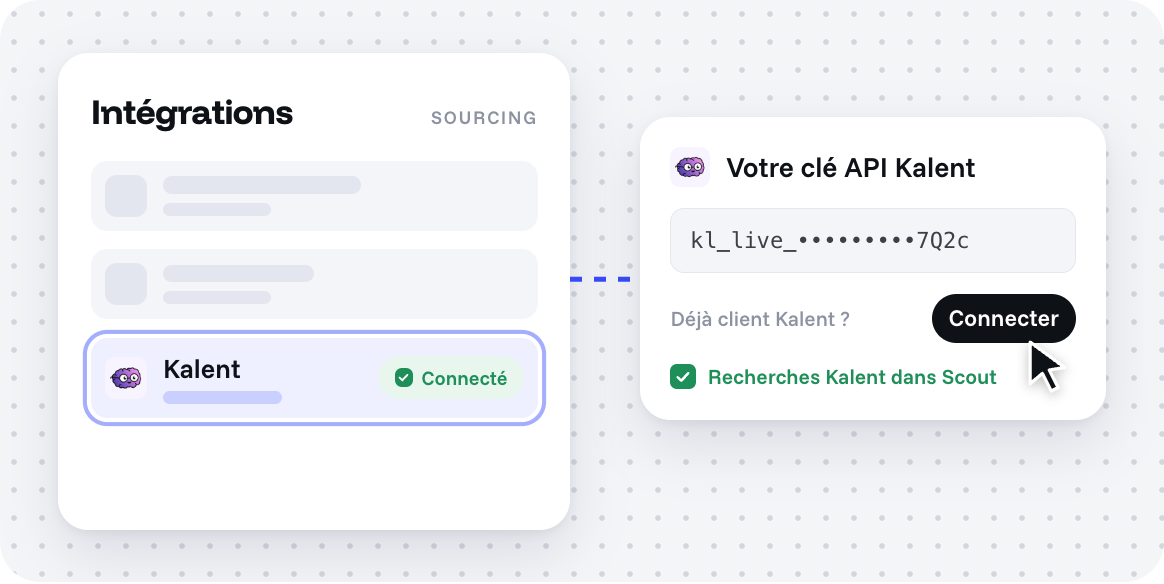
You connect your Kalent account to Marvin by adding your Kalent API key.
- 2
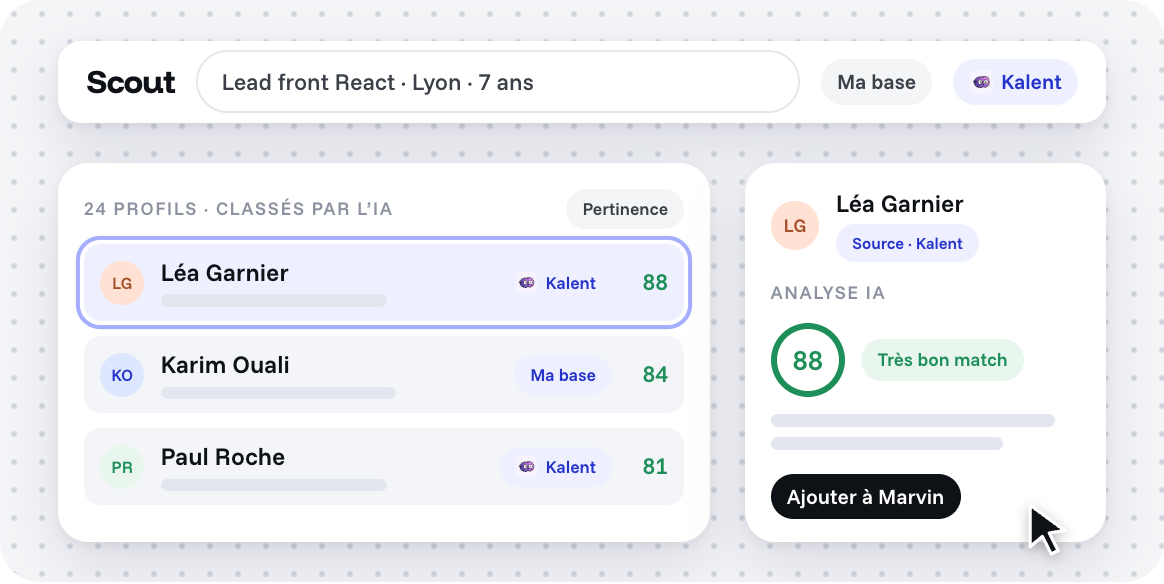
From Scout, you run a Kalent search based on a job or a requirement. Kalent queries its database; its agents qualify and rank the profiles.
- 3
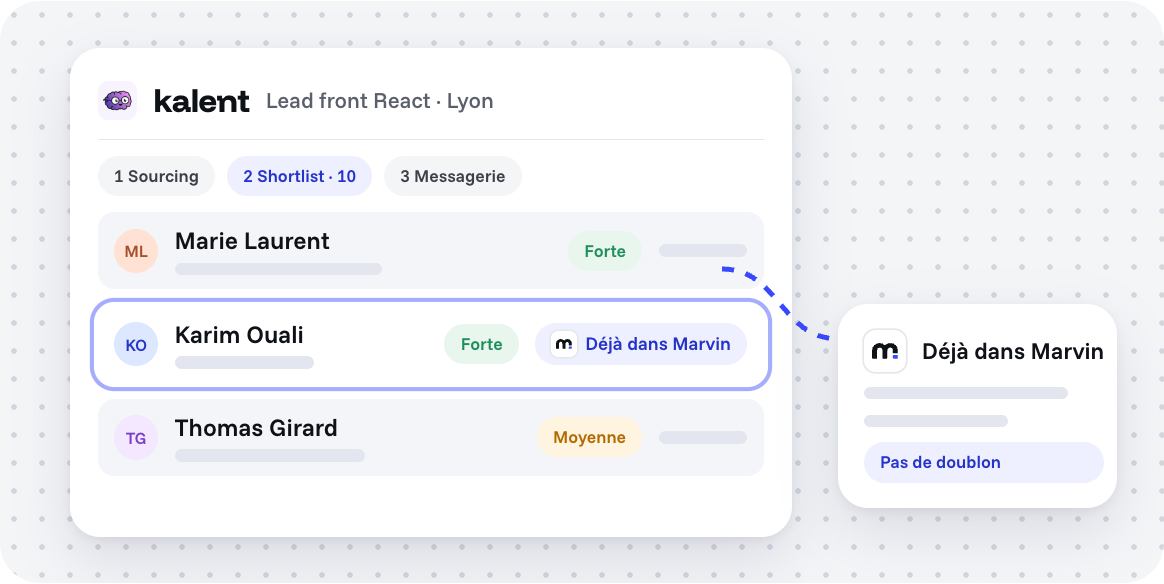
Profiles already in your Marvin database are flagged with a badge: no duplicates, no double outreach.
- 4
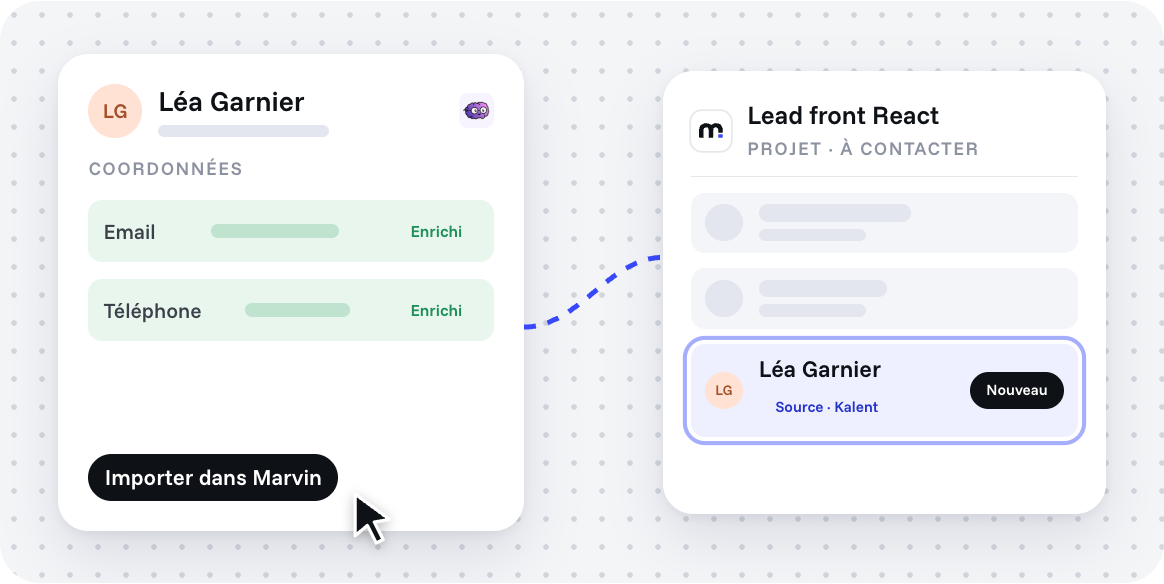
You select the relevant profiles, enrich email and phone, then import them into Marvin.
- 5
The profile lands in the chosen project, at the stage you selected.
What syncs
Every flow, with its direction.
Nothing more.
- →From Marvin
From Scout, you search Kalent without switching tools.
- ←Into Marvin
From Kalent, you keep exporting profiles to Marvin: they arrive as candidates in the chosen project.
What you gain
Fewer tabs.
More profiles.
Quality sourcing without switching tools or juggling tabs.
Profiles already ranked by relevance, with built-in qualifying questions.
Contact enrichment cheaper than using a dedicated tool.
Your Kalent credits usable directly from Marvin.
How to turn it on
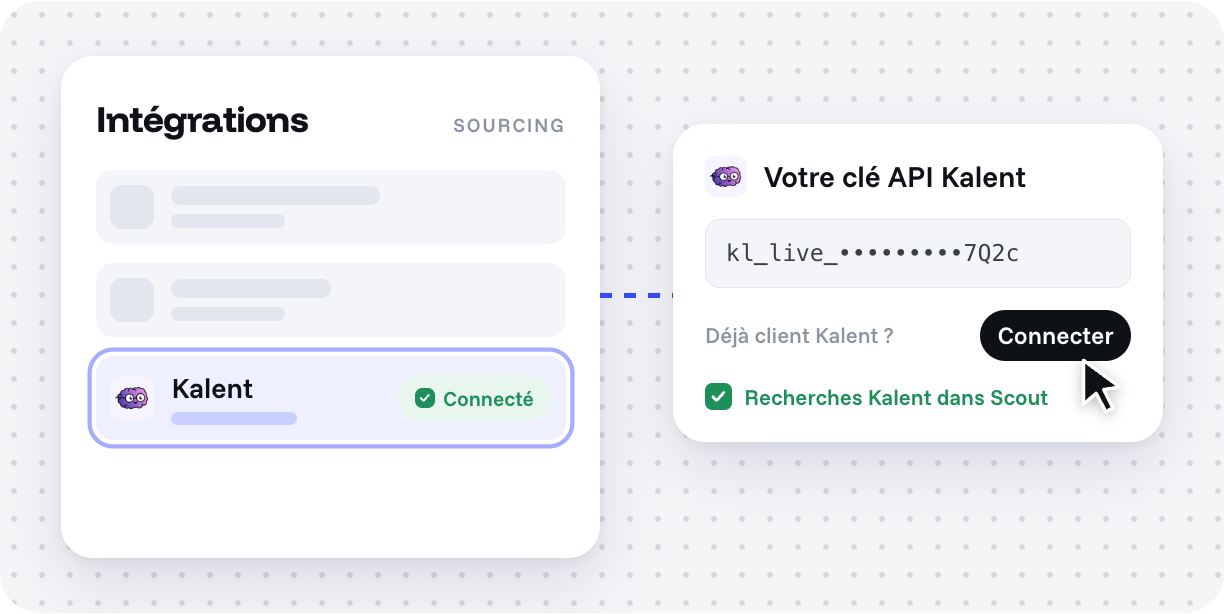
In Marvin, open the Kalent integration and paste your Kalent API key.
Questions about Kalent.
What do Kalent and Marvin exchange?
Kalent reads the list of your projects. Profiles sent by Kalent arrive as candidates in the chosen project. From Scout, Marvin queries the Kalent database and displays qualified profiles.
How to activate Kalent in Marvin?
Open the Kalent integration in Marvin and paste your Kalent API key.
Is there an extra cost on Marvin’s side?
No. You use your existing Kalent subscription and credits.
Does Kalent already work with Marvin?
Yes, the connection is available today.
Other integrations
All integrations





Your tools stay. The retyping goes.